

APKEVER logo
HOME
APP
GAMES
BLOG
ABOUT US
CONTACT
SEARCH
SEARCH
HOME
APP
GAMES
BLOG
ABOUT US
CONTACT

HOME / Blog / SimplePlanes 2 Pro Tips for Realistic Flight Physics

SimplePlanes 2 Pro Tips for Realistic Flight Physics

Upload by:
admin
Date: 28/04/2026 - 03:56
SimplePlanes 2 Pro Tips for Realistic Flight Physics

SimplePlanes 2 Pro Tips for Realistic Flight Physics

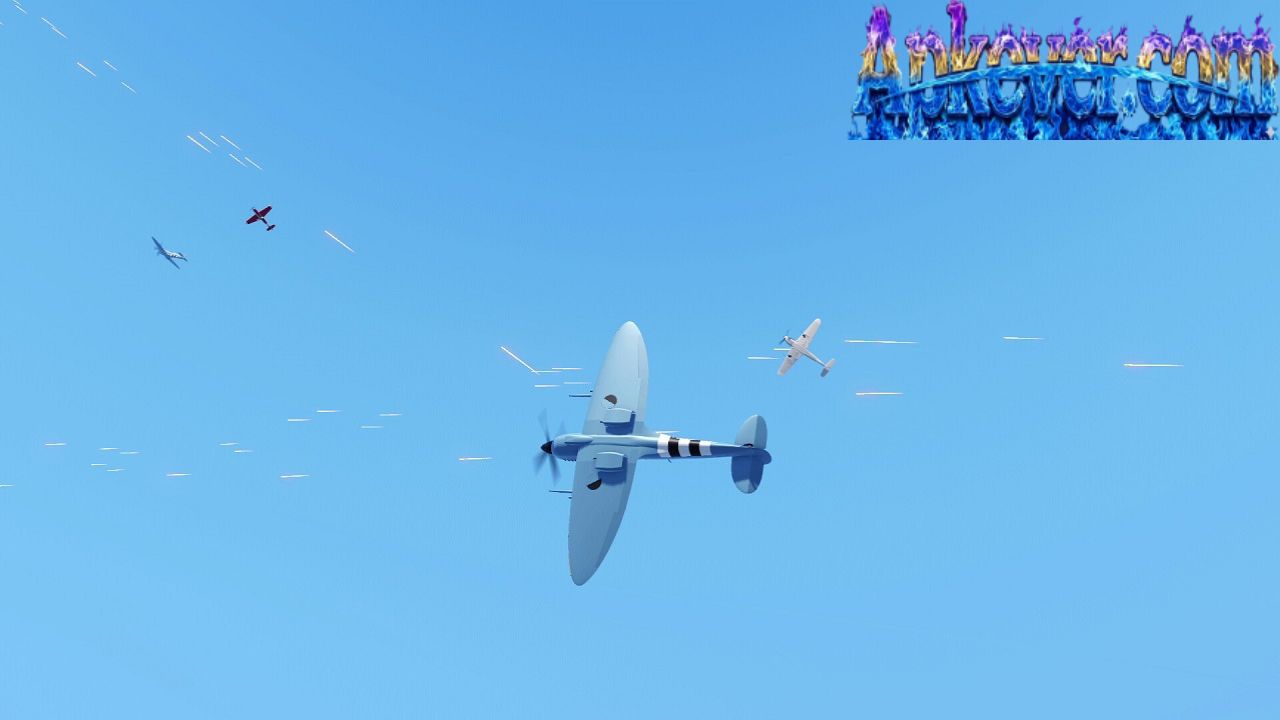
If you’ve ever wanted to feel like a real aircraft engineer and pilot at the same time, SimplePlanes 2 gives you that thrilling sandbox to experiment, crash, refine, and eventually master flight. But the real magic of the game isn’t just building planes—it’s understanding how realistic flight physics actually work inside your creations.

Unlike arcade-style flying games, success here depends on balance, aerodynamics, thrust management, and design logic. Below are some pro-level tips to help you build and fly aircraft that feel believable, stable, and satisfying in the air.

Master Weight Distribution Before Anything Else

In realistic flight physics, balance is everything. If your plane is too nose-heavy or tail-heavy, it will struggle no matter how powerful your engines are.

  • Keep the center of mass close to the center of lift
  • Avoid placing heavy components (fuel tanks, engines) too far forward or backward
  • Use symmetrical placement to maintain stability

A well-balanced aircraft naturally corrects itself during flight, making control smoother and more realistic.

Understand Lift vs. Drag Relationship

Lift keeps your aircraft in the air, but drag slows it down. The challenge is finding the right balance between the two.

  • Increase wing surface area to generate more lift
  • Streamline your design to reduce unnecessary drag
  • Avoid bulky shapes unless they serve a functional purpose

A realistic aircraft doesn’t just fly-it glides efficiently through air resistance. Think sleek, not bulky.

Position Wings Like Real Aircraft Designers Do

Wing placement is one of the most important factors in realistic flight behavior.

  • Main wings should sit slightly behind the center of mass
  • Tail wings help stabilize pitch and yaw
  • Avoid extreme wing angles unless you’re designing specialized aircraft

Even small changes in wing position can completely transform how your aircraft responds in the air.

SimplePlanes 2

Fine-Tune Control Surfaces for Smooth Handling

In real aviation, control surfaces like ailerons, elevators, and rudders are subtle—not extreme.

  • Reduce sensitivity for smoother turning
  • Avoid over-sized control surfaces unless needed
  • Test gradual response instead of sharp movement

Smooth control inputs create realistic flight behavior and prevent unstable wobbling or spinning.

Engine Placement Affects Stability More Than You Think

Engines are not just for thrust-they also affect balance and direction.

  • Center-mounted engines provide stability
  • Wing-mounted engines can improve realism in commercial jets
  • Misaligned engines can cause unwanted rotation or drift

Always test how your aircraft behaves when accelerating at full power.

Respect Air Resistance at High Speeds

At higher speeds, aerodynamic forces become much more sensitive.

  • Small design flaws become more noticeable
  • Turning too sharply may cause instability
  • Aircraft may pitch upward or downward unexpectedly

To maintain realism, design your aircraft to handle stress gradually, not abruptly.

SimplePlanes 2

Use Fuel Flow as a Stability Tool

Fuel is not just energy-it changes weight during flight.

  • Place fuel tanks near the center of mass
  • Avoid uneven fuel distribution
  • Test how your plane behaves as fuel decreases

A realistic aircraft should remain stable even when fuel levels change mid-flight.

Test in Multiple Flight Conditions

A good design isn’t just tested once-it’s tested everywhere.

  • Try takeoff at different speeds
  • Test climbing, cruising, and landing phases
  • Experiment with sharp turns and long-distance flight

This helps you understand how your aircraft behaves under real-world-like conditions.

Keep Your Design Clean and Functional

In realistic aviation design, less is often more.

  • Avoid unnecessary decorations that affect aerodynamics
  • Keep shapes smooth and intentional
  • Prioritize function over complexity

A clean design not only looks better-it performs better in flight physics simulations.

SimplePlanes 2

Learn from Each Flight Attempt

Every crash or unstable flight is valuable data.

  • Observe what caused instability
  • Adjust one variable at a time
  • Retest until behavior improves

This engineering mindset is what turns casual builders into advanced creators in SimplePlanes 2.

Final Thoughts

Mastering realistic flight physics in SimplePlanes 2 isn’t about building the biggest or most powerful aircraft-it’s about understanding how every part interacts with air, weight, and motion.

Once you learn to respect balance, aerodynamics, and control precision, your creations will start feeling less like game objects and more like real flying machines.

Keep experimenting, refining, and testing-because every great aircraft starts with a single idea that slowly learns how to fly.

Other blogs
Stop Losing! Try These Smart Tricks in Invincible VS

Stop Losing! Try These Smart Tricks in Invincible VS

05/05/2026 - 06:03

Level Up Your S&Box Skills in No Time

Level Up Your S&Box Skills in No Time

30/04/2026 - 14:19
Best Windrose Tips and Tricks for Faster Progress

Best Windrose Tips and Tricks for Faster Progress

29/04/2026 - 01:40
apktheme
apktheme
apktheme
apktheme
apktheme
apktheme
apktheme
apktheme
apktheme
apktheme
apktheme
apktheme
apktheme
apktheme
apktheme
apktheme
apktheme
apktheme
apktheme
About us
Modbibi
© 2026 APK. All rights reserved.
Search
Search
Skinseed for Minecraft
Free
Africa Sunrise
Link
Skins-MASTER for Minecraft
Free
Crone
Link
RollerCoaster Tycoon Touch
Free
Atari, Inc.
Link
RealmCraft: Mine & Craft World
Free
Tellurion Mobile
Link
Power Warriors Z: Dragon Hero
Free
Matiby
Link
More Structures Mod Minecraft
Free
Bunzo Mods and Addons Minecraft PE
Link
Mods Master for Minecraft PE
Free
Mods & Maps & Skins
Link